


Page 94 - 18-868 SEO PowerSuite Workflow_VPMGC
P. 94
SEO Workflow


                Edit Mail Templates, you’ll find a bunch of ready-made templates that you can

               customize. Pick a template that suits your niche and the nature of your request
               (eg. Guest Posting Inquiry), and hit        to add some details about your website

               and business to make the email more personal and engaging. You can also
               create your own templates from scratch – just hit            to do that.


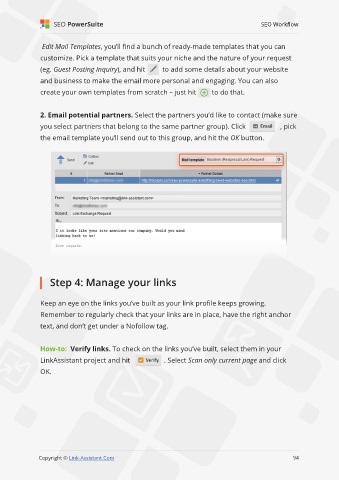
               2. Email potential partners. Select the partners you’d like to contact (make sure

               you select partners that belong to the same partner group). Click                    , pick
               the email template you’ll send out to this group, and hit the OK button.


                   Step 4: Manage your links


               Keep an eye on the links you’ve built as your link profile keeps growing.

               Remember to regularly check that your links are in place, have the right anchor
               text, and don’t get under a Nofollow tag.


               How-to:  Verify links. To check on the links you’ve built, select them in your

               LinkAssistant project and hit               . Select Scan only current page and click
               OK.


                                                                                                             94

               Copyright © Link-Assistant.Com                                                           94

