


Page 43 - MercNET User's Guide
P. 43
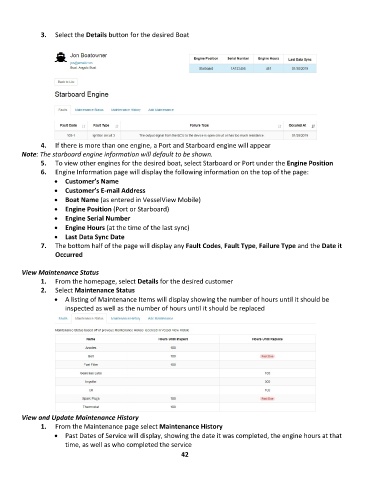
3.  Select the Details button for the desired Boat


               4.  If there is more than one engine, a Port and Starboard engine will appear
        Note: The starboard engine information will default to be shown.
               5.  To view other engines for the desired boat, select Starboard or Port under the Engine Position
               6.  Engine Information page will display the following information on the top of the page:
                   •  Customer’s Name
                   •  Customer’s E-mail Address
                   •  Boat Name (as entered in VesselView Mobile)
                   •  Engine Position (Port or Starboard)
                   •  Engine Serial Number
                   •  Engine Hours (at the time of the last sync)
                   •  Last Data Sync Date
               7.  The bottom half of the page will display any Fault Codes, Fault Type, Failure Type and the Date it
                   Occurred

        View Maintenance Status
               1.  From the homepage, select Details for the desired customer
               2.  Select Maintenance Status
                   •  A listing of Maintenance Items will display showing the number of hours until it should be
                       inspected as well as the number of hours until it should be replaced


        View and Update Maintenance History
               1.  From the Maintenance page select Maintenance History
                   •  Past Dates of Service will display, showing the date it was completed, the engine hours at that
                       time, as well as who completed the service
                                                             42

