


Page 57 - MercNET User's Guide
P. 57
Create New User
               1.  Select Create Contact
               2.  Enter user’s information
               3.  Select the appropriate privileges
               4.  Select Update

        Updating Secondary User
               1.  Select the Update link for the appropriate user
               2.  Change user’s information (if applicable)
               3.  Enter an end-date to terminate user’s access to MercNET (if applicable)
               4.  Change privileges (if applicable)
               5.  Select Update

        Credit

        Review the status of your Account, link to your Finance Company account, view and Print invoices and
        statements, make payments online, and search and sort to find information quickly.
              • •   Select My Account from the Credit menu

        Customer Search


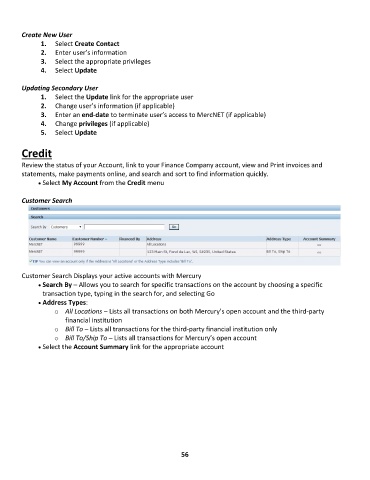
        Customer Search Displays your active accounts with Mercury
              • •   Search By – Allows you to search for specific transactions on the account by choosing a specific
               transaction type, typing in the search for, and selecting Go
              • •   Address Types:
                   o  All Locations – Lists all transactions on both Mercury’s open account and the third-party
                       financial institution
                   o  Bill To – Lists all transactions for the third-party financial institution only
                   o  Bill To/Ship To – Lists all transactions for Mercury’s open account
              • •   Select the Account Summary link for the appropriate account


                                                             56

