


Page 47 - Computing Book 7
P. 47
All About Cloud                                                                      Class 7


               Advantages of Cloud Storage

                   •  Data safety – Your files are protected against physical disasters because they are stored in
                       multiple remote servers. This means that you don’t have to worry if your hard drive fails.
                   •  Access your data from anywhere – No need to transfer files across your computers with USB
                       drives anymore.
                   •  Sharing & collaboration – You can easily send a link to one of your files to all your friends and
                       they can download it. You can also share entire folders, which enables you to work
                       collaboratively on group projects via the Internet.
                   •  Cost-Effective – Reduced Energy Costs, a significant portion of an organization's energy bill
                       stems from server power consumption and maintenance is reduced.

               Disadvantages of Cloud Storage

                   •  It needs an Internet connection – If you find that you urgently need to access your files and
                       don’t have an Internet connection or have a very slow one, then this could lead to delays.
                   •  Security – If you don’t use strong passwords or if the cloud service is not secure enough, you
                       may face security issues.
                   •  Unavailability risks – Although very rare, the cloud service may be temporarily unavailable,
                       perhaps when you most need it. Another slight risk is that the company offering the service
                       might go out of business and you may lose your data.

               Google Drive:
               The newest "Cloud-Based" storage system, Google
               Drive allows users to store files on their servers,
               synchronize files across devices, and share files. In
               addition to a website, Google Drive offers apps with
               offline capabilities for Windows and MacOS
               computers, and Android and iOS smartphones and
               tablets. Google Drive encompasses Google Docs,
               Google Sheets, and Google Slides, which are a part of an office suite that permits collaborative
               editing of documents, spreadsheets, presentations, drawings, forms, and more. Files created and
               edited through the office suite are saved in Google Drive and can be downloaded to a device in
               numerous formats especially which are compatible with Microsoft office.

               Accessing Google Drive:

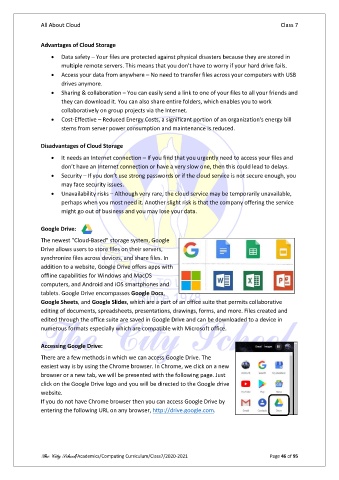
               There are a few methods in which we can access Google Drive. The
               easiest way is by using the Chrome browser. In Chrome, we click on a new
               browser or a new tab, we will be presented with the following page. Just
               click on the Google Drive logo and you will be directed to the Google drive
               website.
               If you do not have Chrome browser then you can access Google Drive by
               entering the following URL on any browser, http://drive.google.com.


               The City School/Academics/Computing Curriculum/Class7/2020-2021                  Page 46 of 95

