


Page 49 - Computing Book 7
P. 49
All About Cloud                                                                      Class 7


               Once we have completed the form, please
               make sure you tick on the checkbox with the
               text: “I agree to the Google Terms of Service
               and Privacy Policy” or you will not be able to
               submit.  Verify that all information is correct
               and submit the form. We should get the
               following page. Click on the “Back to Google
               Docs” button to get started.

               Introduction to Google Docs:
               Google Docs is an online version of
               Microsoft Word, PowerPoint and Excel.
               In Google Docs they are called Google
               Document, Spreadsheet and
               Presentation.
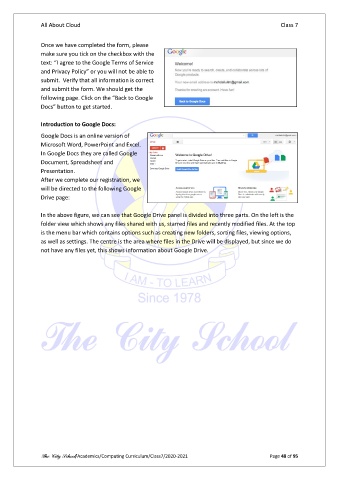
               After we complete our registration, we
               will be directed to the following Google
               Drive page:

               In the above figure, we can see that Google Drive panel is divided into three parts. On the left is the
               folder view which shows any files shared with us, starred files and recently modified files. At the top
               is the menu bar which contains options such as creating new folders, sorting files, viewing options,
               as well as settings. The centre is the area where files in the Drive will be displayed, but since we do
               not have any files yet, this shows information about Google Drive.


               The City School/Academics/Computing Curriculum/Class7/2020-2021                  Page 48 of 95

