


Page 48 - Computing Book 7
P. 48
All About Cloud                                                                      Class 7


               To use Google Drive, we are required to have a
               Google account. If you already own a Google
               account then just continue with signing in, for
               those of us who have yet to create an account, we
               will continue with signing up for Google account.

               Gmail:
               To access Google Drive, we need a Gmail address to access all Google products.
               Gmail is a free email service developed by Google. Users can access Gmail on the web and using
               third-party programs that synchronize email content through POP or IMAP protocols.
               The service comes with 15 gigabytes of storage. Users can receive emails up to 50 megabytes in size,
               including attachments, while they can send emails up to 25 megabytes. To send larger files, users
               can insert files from Google Drive into the message. Gmail has a search-oriented interface and a
               "conversation view" similar to an Internet forum.

               Signing Up for Google account
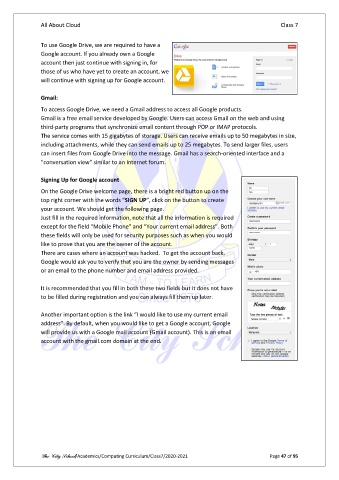
               On the Google Drive welcome page, there is a bright red button up on the
               top right corner with the words “SIGN UP”, click on the button to create
               your account. We should get the following page.
               Just fill in the required information, note that all the information is required
               except for the field “Mobile Phone” and “Your current email address”. Both
               these fields will only be used for security purposes such as when you would
               like to prove that you are the owner of the account.
               There are cases where an account was hacked.  To get the account back,
               Google would ask you to verify that you are the owner by sending messages
               or an email to the phone number and email address provided.

               It is recommended that you fill in both these two fields but it does not have
               to be filled during registration and you can always fill them up later.

               Another important option is the link “I would like to use my current email
               address”. By default, when you would like to get a Google account, Google
               will provide us with a Google mail account (Gmail account). This is an email
               account with the gmail.com domain at the end.


               The City School/Academics/Computing Curriculum/Class7/2020-2021                  Page 47 of 95

