


Page 52 - Computing Book 7
P. 52
All About Cloud                                                                      Class 7


               Google Translate Text from Photos:

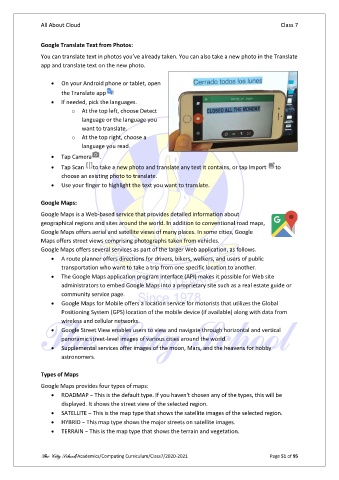
               You can translate text in photos you’ve already taken. You can also take a new photo in the Translate
               app and translate text on the new photo.

                   •  On your Android phone or tablet, open
                       the Translate app
                   •  If needed, pick the languages.
                          o  At the top left, choose Detect
                              language or the language you
                              want to translate.
                          o  At the top right, choose a
                              language you read.

                   •  Tap Camera    .
                   •  Tap Scan    to take a new photo and translate any text it contains, or tap Import   to
                       choose an existing photo to translate.
                   •  Use your finger to highlight the text you want to translate.

               Google Maps:
               Google Maps is a Web-based service that provides detailed information about
               geographical regions and sites around the world. In addition to conventional road maps,
               Google Maps offers aerial and satellite views of many places. In some cities, Google
               Maps offers street views comprising photographs taken from vehicles.
               Google Maps offers several services as part of the larger Web application, as follows.
                   •  A route planner offers directions for drivers, bikers, walkers, and users of public
                       transportation who want to take a trip from one specific location to another.
                   •  The Google Maps application program interface (API) makes it possible for Web site
                       administrators to embed Google Maps into a proprietary site such as a real estate guide or
                       community service page.
                   •  Google Maps for Mobile offers a location service for motorists that utilizes the Global
                       Positioning System (GPS) location of the mobile device (if available) along with data from
                       wireless and cellular networks.
                   •  Google Street View enables users to view and navigate through horizontal and vertical
                       panoramic street-level images of various cities around the world.
                   •  Supplemental services offer images of the moon, Mars, and the heavens for hobby
                       astronomers.

               Types of Maps
               Google Maps provides four types of maps:
                   •  ROADMAP − This is the default type. If you haven't chosen any of the types, this will be
                       displayed. It shows the street view of the selected region.
                   •  SATELLITE − This is the map type that shows the satellite images of the selected region.
                   •  HYBRID − This map type shows the major streets on satellite images.
                   •  TERRAIN − This is the map type that shows the terrain and vegetation.


               The City School/Academics/Computing Curriculum/Class7/2020-2021                  Page 51 of 95

