


Page 84 - Computing Book 7
P. 84
Presenting Your Ideas – MS Sway                                                      Class 7


                                         Presenting Your Ideas – MS Sway

               What is Sway?

               Sway is a new app from Microsoft Office that makes it easy to create and share interactive reports,
               personal stories, presentations, and more.
               Start by adding your text and pictures, search for and import relevant content from other sources,
               and then watch Sway do the rest. With Sway, you’re no longer limited to picking a pre-designed
               template that makes your presentations look like everyone else’s, and you don’t have to have any
               design skills to transform and showcase information in modern, interactive, and attention-getting
               ways.
               With Sway, there’s no need to spend lots of time on formatting. Its built-in design engine takes care
               of making your creation look its best. If the initial design doesn’t quite match your taste or mood,
               you can easily apply another — or fully customize your layout to make it your own.
               It’s super easy to share your finished Sways. Family, friends, classmates, and co-workers can see your
               creations on the Web without signing up, signing in, or downloading anything. And you can change
               the privacy settings for any Sway whenever you want more control over what you share.

               What can I create with Sway?
               Whether it’s a report, a presentation, a newsletter, a personal story, a photo album, or a visual trip
               report, there’s virtually no limit on what you can express creatively with Sway.


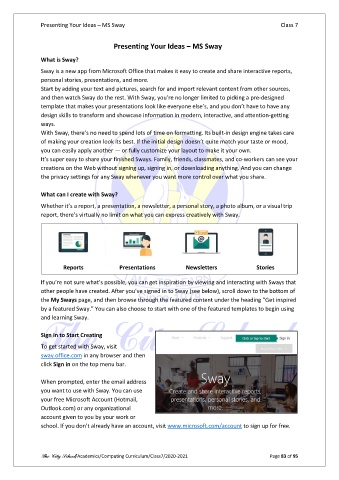
                       Reports             Presentations          Newsletters              Stories

               If you’re not sure what’s possible, you can get inspiration by viewing and interacting with Sways that
               other people have created. After you’ve signed in to Sway (see below), scroll down to the bottom of
               the My Sways page, and then browse through the featured content under the heading “Get inspired
               by a featured Sway.” You can also choose to start with one of the featured templates to begin using
               and learning Sway.

               Sign in to Start Creating
               To get started with Sway, visit
               sway.office.com in any browser and then
               click Sign in on the top menu bar.

               When prompted, enter the email address
               you want to use with Sway. You can use
               your free Microsoft Account (Hotmail,
               Outlook.com) or any organizational
               account given to you by your work or
               school. If you don’t already have an account, visit www.microsoft.com/account to sign up for free.


               The City School/Academics/Computing Curriculum/Class7/2020-2021                  Page 83 of 95

