


Page 49 - Computing book 6
P. 49
e-Safety and Going Online                                                            Class 6


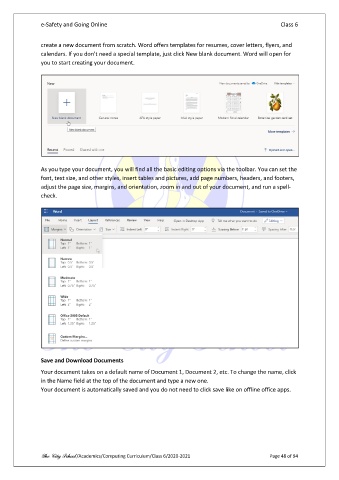
               create a new document from scratch. Word offers templates for resumes, cover letters, flyers, and
               calendars. If you don't need a special template, just click New blank document. Word will open for
               you to start creating your document.


               As you type your document, you will find all the basic editing options via the toolbar. You can set the
               font, text size, and other styles, insert tables and pictures, add page numbers, headers, and footers,
               adjust the page size, margins, and orientation, zoom in and out of your document, and run a spell-
               check.


               Save and Download Documents

               Your document takes on a default name of Document 1, Document 2, etc. To change the name, click
               in the Name field at the top of the document and type a new one.
               Your document is automatically saved and you do not need to click save like on offline office apps.


               The City School /Academics/Computing Curriculum/Class 6/2020-2021                Page 48 of 94

