


Page 52 - Computing book 6
P. 52
e-Safety and Going Online                                                            Class 6


               Open an Existing File

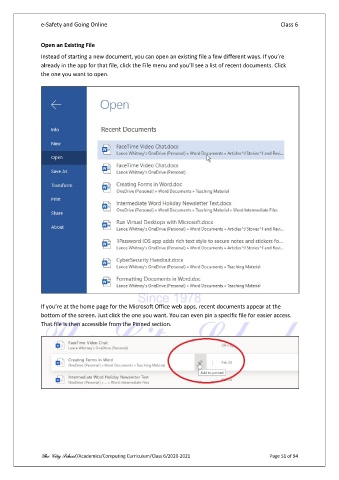
               Instead of starting a new document, you can open an existing file a few different ways. If you’re
               already in the app for that file, click the File menu and you’ll see a list of recent documents. Click
               the one you want to open.


               If you’re at the home page for the Microsoft Office web apps, recent documents appear at the
               bottom of the screen. Just click the one you want. You can even pin a specific file for easier access.
               That file is then accessible from the Pinned section.


               The City School /Academics/Computing Curriculum/Class 6/2020-2021                Page 51 of 94

