


Page 53 - Computing book 6
P. 53
e-Safety and Going Online                                                            Class 6


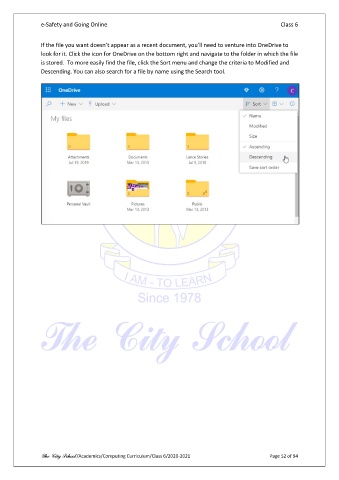
               If the file you want doesn’t appear as a recent document, you’ll need to venture into OneDrive to
               look for it. Click the icon for OneDrive on the bottom right and navigate to the folder in which the file
               is stored.  To more easily find the file, click the Sort menu and change the criteria to Modified and
               Descending. You can also search for a file by name using the Search tool.


               The City School /Academics/Computing Curriculum/Class 6/2020-2021                Page 52 of 94

