


Page 83 - Computing Book 5
P. 83
Building a Website                                                                   Class 5


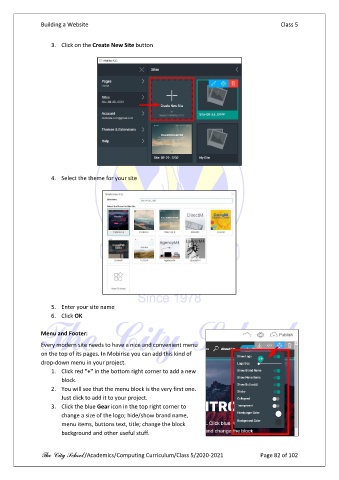
                   3.  Click on the Create New Site button


                   4.  Select the theme for your site


                   5.  Enter your site name
                   6.  Click OK

               Menu and Footer:

               Every modern site needs to have a nice and convenient menu
               on the top of its pages. In Mobirise you can add this kind of
               drop-down menu in your project.
                   1.  Click red "+" in the bottom right corner to add a new
                       block.
                   2.  You will see that the menu block is the very first one.
                       Just click to add it to your project.
                   3.  Click the blue Gear icon in the top right corner to
                       change a size of the logo; hide/show brand name,
                       menu items, buttons text, title; change the block
                       background and other useful stuff.


               The City School /Academics/Computing Curriculum/Class 5/2020-2021            Page 82 of 102

