


Page 84 - Computing Book 5
P. 84
Building a Website                                                                   Class 5


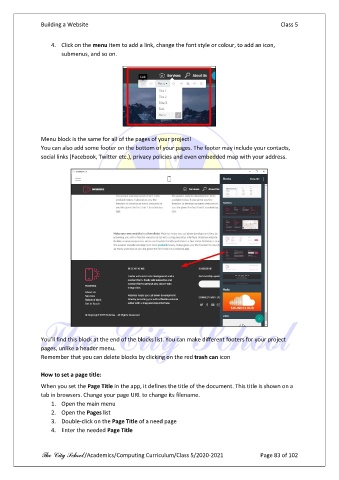
                   4.  Click on the menu item to add a link, change the font style or colour, to add an icon,
                       submenus, and so on.


               Menu block is the same for all of the pages of your project!
               You can also add some footer on the bottom of your pages. The footer may include your contacts,
               social links (Facebook, Twitter etc.), privacy policies and even embedded map with your address.


               You’ll find this block at the end of the blocks list. You can make different footers for your project
               pages, unlike a header menu.
               Remember that you can delete blocks by clicking on the red trash can icon

               How to set a page title:
               When you set the Page Title in the app, it defines the title of the document. This title is shown on a
               tab in browsers. Change your page URL to change its filename.
                   1.  Open the main menu
                   2.  Open the Pages list
                   3.  Double-click on the Page Title of a need page
                   4.  Enter the needed Page Title


               The City School /Academics/Computing Curriculum/Class 5/2020-2021            Page 83 of 102

