


Page 80 - Computing Book 5
P. 80
Building a Website                                                                   Class 5


               If you did everything right the app will show you this message:


               You can also register using your Google or Facebook accounts. Click on "Login with Google" or
               "Login with Facebook" in the sign-up window respectively.
               Receive our congratulations - now you have Mobirise account which you can use to purchase
               extensions and themes, and get news about Mobirise!
               Please, consider the following details:
                   •  You can log in with this email/account only on 2 devices.
                   •  All extensions are attached to one account, i.e. to email which was mentioned, during
                       activation of the extension.
                   •  It is impossible to change the email address of an account, but you are free to create more
                       accounts with different emails.

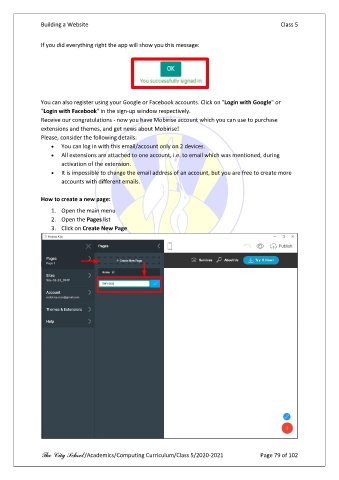
               How to create a new page:

                   1.  Open the main menu
                   2.  Open the Pages list
                   3.  Click on Create New Page


               The City School /Academics/Computing Curriculum/Class 5/2020-2021            Page 79 of 102

