


Page 81 - Computing Book 5
P. 81
Building a Website                                                                   Class 5


               Working with Themes:

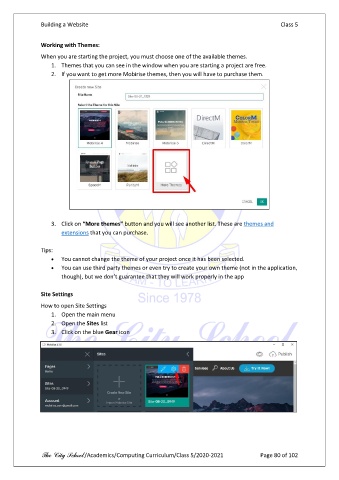
               When you are starting the project, you must choose one of the available themes.
                   1.  Themes that you can see in the window when you are starting a project are free.
                   2.  If you want to get more Mobirise themes, then you will have to purchase them.


                   3.  Click on “More themes” button and you will see another list. These are themes and
                       extensions that you can purchase.

               Tips:
                   •  You cannot change the theme of your project once it has been selected.
                   •  You can use third party themes or even try to create your own theme (not in the application,
                       though), but we don’t guarantee that they will work properly in the app

               Site Settings
               How to open Site Settings
                   1.  Open the main menu
                   2.  Open the Sites list
                   3.  Click on the blue Gear icon


               The City School /Academics/Computing Curriculum/Class 5/2020-2021            Page 80 of 102

