


Page 79 - Computing Book 5
P. 79
Building a Website                                                                   Class 5


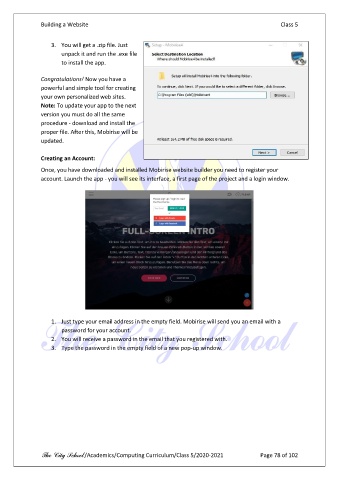
                   3.  You will get a .zip file. Just
                       unpack it and run the .exe file
                       to install the app.

               Congratulations! Now you have a
               powerful and simple tool for creating
               your own personalized web sites.
               Note: To update your app to the next
               version you must do all the same
               procedure - download and install the
               proper file. After this, Mobirise will be
               updated.

               Creating an Account:

               Once, you have downloaded and installed Mobirise website builder you need to register your
               account. Launch the app - you will see its interface, a first page of the project and a login window.


                   1.  Just type your email address in the empty field. Mobirise will send you an email with a
                       password for your account.
                   2.  You will receive a password in the email that you registered with.
                   3.  Type the password in the empty field of a new pop-up window.


               The City School /Academics/Computing Curriculum/Class 5/2020-2021            Page 78 of 102

