


Page 13 - TCS ICT Book 5
P. 13
The City School  2021-2022


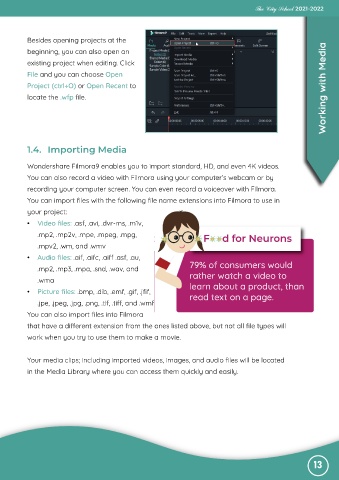
           Besides opening projects at the
                                                                                                                   Working with Media
           beginning, you can also open an

           existing project when editing. Click
           File and you can choose Open

           Project (ctrl+O) or Open Recent to
           locate the .wfp file.


           1.4.  Importing Media


           Wondershare Filmora9 enables you to import standard, HD, and even 4K videos.

           You can also record a video with Filmora using your computer’s webcam or by
           recording your computer screen. You can even record a voiceover with Filmora.

           You can import files with the following file name extensions into Filmora to use in
           your project:

           •  Video files: .asf, .avi, .dvr-ms, .m1v,
              .mp2, .mp2v, .mpe, .mpeg, .mpg,

              .mpv2, .wm, and .wmv
           •  Audio files: .aif, .aifc, .aiff .asf, .au,

              .mp2, .mp3, .mpa, .snd, .wav, and                     79% of consumers would
              .wma                                                  rather watch a video to

           •  Picture files: .bmp, .dib, .emf, .gif, .jfif,         learn about a product, than
                                                                    read text on a page.
              .jpe, .jpeg, .jpg, .png, .tif, .tiff, and .wmf

           You can also import files into Filmora
           that have a different extension from the ones listed above, but not all file types will

           work when you try to use them to make a movie.


           Your media clips; including imported videos, images, and audio files will be located
           in the Media Library where you can access them quickly and easily.


                                                                                                               13

