


Page 15 - TCS ICT Book 5
P. 15
The City School  2021-2022


           1.5.  Getting Started with Video Editing


           After your media files (videos, images, etc.)

           have been imported to Filmora9 (latest Filmora
           version 9), it’s time to start editing. This section                                                    Working with Media

           will go over arranging clips in your timeline,
           cleaning up your footage, editing out unwanted

           parts, and more.
           To select a single media file, click on its

           thumbnail. To select multiple media files, press
           and hold Ctrl, and then click the thumbnails

           of the media you want to select. To select a sequence of media files: click the first
           thumbnail in the sequence, press and hold Shift, and then click the last thumbnail in

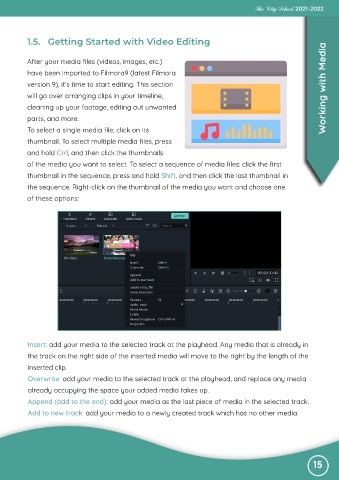
           the sequence. Right-click on the thumbnail of the media you want and choose one
           of these options:


           Insert: add your media to the selected track at the playhead. Any media that is already in

           the track on the right side of the inserted media will move to the right by the length of the
           inserted clip.

           Overwrite: add your media to the selected track at the playhead, and replace any media
           already occupying the space your added media takes up.

           Append (add to the end): add your media as the last piece of media in the selected track.
           Add to new track: add your media to a newly created track which has no other media.


                                                                                                               15

