


Page 18 - TCS ICT Book 5
P. 18
The City School  2021-2022


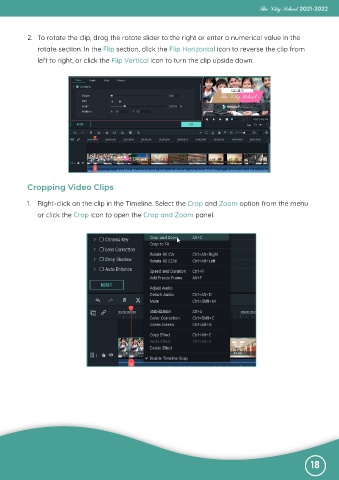
           2.  To rotate the clip, drag the rotate slider to the right or enter a numerical value in the

              rotate section. In the Flip section, click the Flip Horizontal icon to reverse the clip from
              left to right, or click the Flip Vertical icon to turn the clip upside down.


           Cropping Video Clips

           1.  Right-click on the clip in the Timeline. Select the Crop and Zoom option from the menu

              or click the Crop icon to open the Crop and Zoom panel.


                                                                                                              18

