


Page 44 - TCS ICT Book 5
P. 44
The City School  2021-2022


           Modifying Transitions


           1.  You can quickly customize the
              look of a transition by changing
              its direction.

           2.  Select the slide with the transition

              you want to modify. Click the
              Effect Options command, and
              choose the desired option. These

              options will vary depending on

              the selected transition.
           3.  The transition will be modified,
              and a preview of the transition will appear.


           Modifying Transition Duration


           1.  Select the slide with the transition you want to modify.

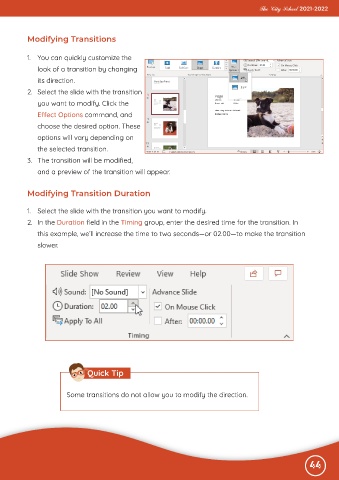
           2.  In the Duration field in the Timing group, enter the desired time for the transition. In
              this example, we’ll increase the time to two seconds—or 02.00—to make the transition
              slower.


                                Quick Tip


                        Some transitions do not allow you to modify the direction.


                                                                                                              44

