


Page 48 - TCS ICT Book 5
P. 48
The City School  2021-2022


           Remove an Animation


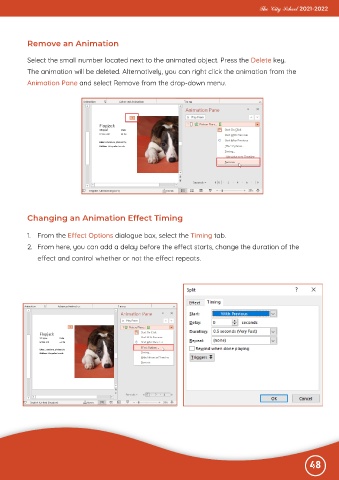
           Select the small number located next to the animated object. Press the Delete key.
           The animation will be deleted. Alternatively, you can right click the animation from the

           Animation Pane and select Remove from the drop-down menu.


           Changing an Animation Effect Timing


           1.  From the Effect Options dialogue box, select the Timing tab.

           2.  From here, you can add a delay before the effect starts, change the duration of the
              effect and control whether or not the effect repeats.


                                                                                                              48
                                                                                    2.5.  Working                  with Audio

