


Page 45 - TCS ICT Book 5
P. 45
The City School  2021-2022


           Removing a Transition


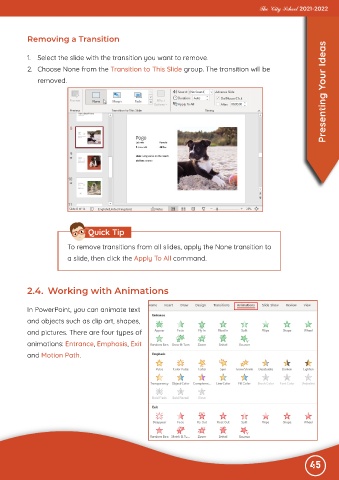
           1.  Select the slide with the transition you want to remove.
           2.  Choose None from the Transition to This Slide group. The transition will be
              removed.                                                                                             Presenting Your Ideas


                                Quick Tip

                         To remove transitions from all slides, apply the None transition to
                         a slide, then click the Apply To All command.


           2.4.  Working with Animations


           In PowerPoint, you can animate text
           and objects such as clip art, shapes,

           and pictures. There are four types of
           animations: Entrance, Emphasis, Exit

           and Motion Path.


                                                                                                              45

