


Page 46 - TCS ICT Book 5
P. 46
The City School  2021-2022


           Applying Animation


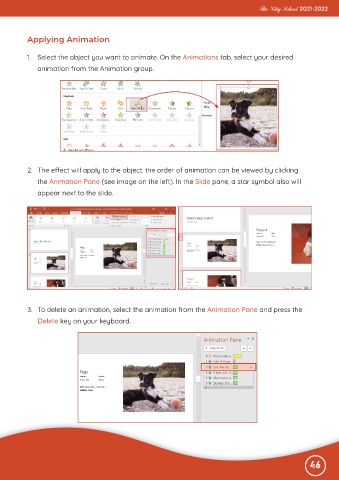
           1.  Select the object you want to animate. On the Animations tab, select your desired

              animation from the Animation group.


           2.  The effect will apply to the object. the order of animation can be viewed by clicking

              the Animation Pane (see image on the left). In the Slide pane, a star symbol also will
              appear next to the slide.


           3.  To delete an animation, select the animation from the Animation Pane and press the
              Delete key on your keyboard.


                                                                                                              46

