


Page 74 - TCS ICT Book 5
P. 74
The City School  2021-2022


           Insert Menu


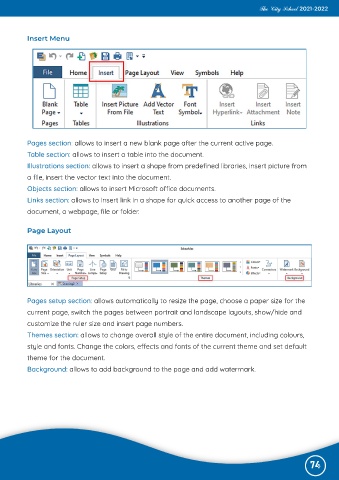
           Pages section: allows to insert a new blank page after the current active page.

           Table section: allows to insert a table into the document.
           Illustrations section: allows to insert a shape from predefined libraries, insert picture from

           a file, insert the vector text into the document.
           Objects section: allows to insert Microsoft office documents.

           Links section: allows to insert link in a shape for quick access to another page of the
           document, a webpage, file or folder.


           Page Layout


           Pages setup section: allows automatically to resize the page, choose a paper size for the
           current page, switch the pages between portrait and landscape layouts, show/hide and

           customize the ruler size and insert page numbers.
           Themes section: allows to change overall style of the entire document, including colours,

           style and fonts. Change the colors, effects and fonts of the current theme and set default
           theme for the document.

           Background: allows to add background to the page and add watermark.


                                                                                                              74

