


Page 77 - TCS ICT Book 5
P. 77
The City School  2021-2022


           2.  Alternatively, you can click the New button
                                                                                                                    Desktop Publishing
              on the quick access toolbar. A blank new
              document will open in a separate window.


           Saving a Document


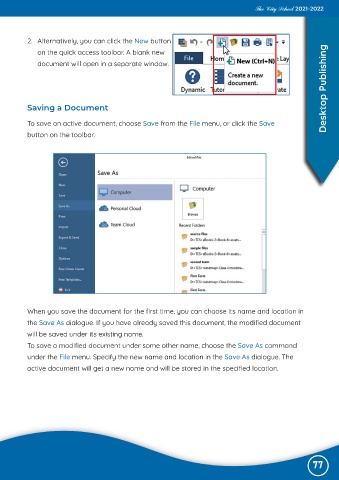
           To save an active document, choose Save from the File menu, or click the Save
           button on the toolbar.


           When you save the document for the first time, you can choose its name and location in

           the Save As dialogue. If you have already saved this document, the modified document
           will be saved under its existing name.
           To save a modified document under some other name, choose the Save As command

           under the File menu. Specify the new name and location in the Save As dialogue. The

           active document will get a new name and will be stored in the specified location.


                                                                                                               77

