


Page 76 - TCS ICT Book 5
P. 76
The City School  2021-2022


           Help Menu


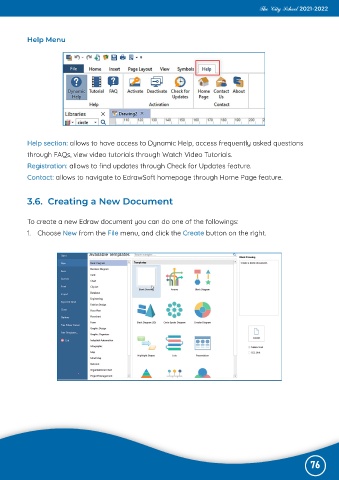
           Help section: allows to have access to Dynamic Help, access frequently asked questions

           through FAQs, view video tutorials through Watch Video Tutorials.
           Registration: allows to find updates through Check for Updates feature.

           Contact: allows to navigate to EdrawSoft homepage through Home Page feature.


           3.6.  Creating a New Document


           To create a new Edraw document you can do one of the followings:

           1.  Choose New from the File menu, and click the Create button on the right.


                                                                                                              76

