


Page 75 - TCS ICT Book 5
P. 75
The City School  2021-2022


           View Menu

                                                                                                                    Desktop Publishing


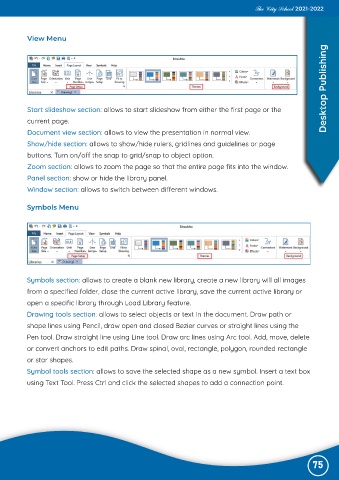
           Start slideshow section: allows to start slideshow from either the first page or the
           current page.

           Document view section: allows to view the presentation in normal view.
           Show/hide section: allows to show/hide rulers, gridlines and guidelines or page

           buttons. Turn on/off the snap to grid/snap to object option.
           Zoom section: allows to zoom the page so that the entire page fits into the window.

           Panel section: show or hide the library panel.
           Window section: allows to switch between different windows.


           Symbols Menu


           Symbols section: allows to create a blank new library, create a new library will all images

           from a specified folder, close the current active library, save the current active library or
           open a specific library through Load Library feature.

           Drawing tools section: allows to select objects or text in the document. Draw path or
           shape lines using Pencil, draw open and closed Bezier curves or straight lines using the

           Pen tool. Draw straight line using Line tool. Draw arc lines using Arc tool. Add, move, delete
           or convert anchors to edit paths. Draw spinal, oval, rectangle, polygon, rounded rectangle

           or star shapes.
           Symbol tools section: allows to save the selected shape as a new symbol. Insert a text box

           using Text Tool. Press Ctrl and click the selected shapes to add a connection point.


                                                                                                               75

