


Page 21 - TCS ICT Book 4
P. 21
The City School  2021-2022


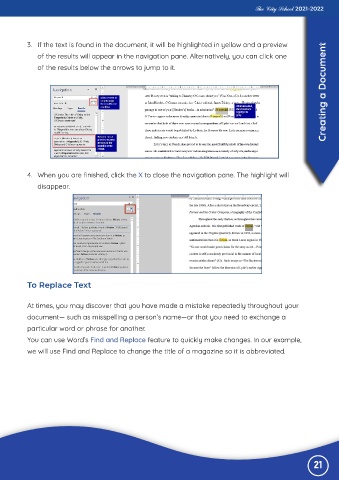
           3.  If the text is found in the document, it will be highlighted in yellow and a preview
                                                                                                                   Creating a Document
              of the results will appear in the navigation pane. Alternatively, you can click one

              of the results below the arrows to jump to it.


           4.  When you are finished, click the X to close the navigation pane. The highlight will

              disappear.


           To Replace Text


           At times, you may discover that you have made a mistake repeatedly throughout your
           document— such as misspelling a person’s name—or that you need to exchange a

           particular word or phrase for another.
           You can use Word’s Find and Replace feature to quickly make changes. In our example,

           we will use Find and Replace to change the title of a magazine so it is abbreviated.


                                                                                                               21

