


Page 21 - TCS ICT Book 7
P. 21
The City School  2021-2022


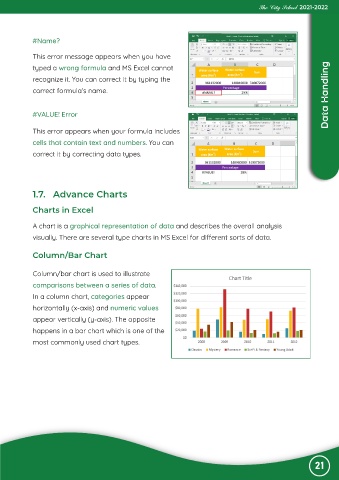
            #Name?

             This error message appears when you have

             typed a wrong formula and MS Excel cannot
             recognize it. You can correct it by typing the

             correct formula’s name.                                                                                Data Handling


            #VALUE! Error


             This error appears when your formula includes
             cells that contain text and numbers. You can

             correct it by correcting data types.


            1.7.  Advance Charts


            Charts in Excel

             A chart is a graphical representation of data and describes the overall analysis

             visually. There are several type charts in MS Excel for different sorts of data.


            Column/Bar Chart


             Column/bar chart is used to illustrate
             comparisons between a series of data.

             In a column chart, categories appear
             horizontally (x-axis) and numeric values

             appear vertically (y-axis). The opposite
             happens in a bar chart which is one of the

             most commonly used chart types.


                                                                                                                21

