


Page 258 - Learn To Program With Scratch
P. 258
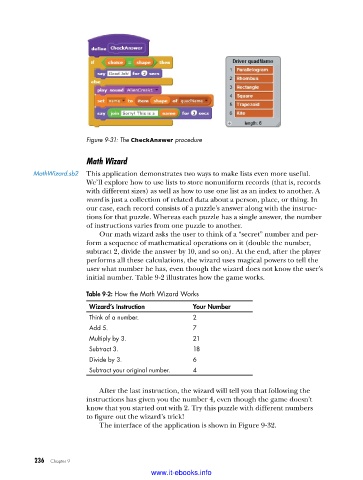
Figure 9-31: The CheckAnswer procedure

                         Math Wizard
          MathWizard .sb2  This application demonstrates two ways to make lists even more useful.
                         We’ll explore how to use lists to store nonuniform records (that is, records
                         with different sizes) as well as how to use one list as an index to another. A
                         record is just a collection of related data about a person, place, or thing. In
                         our case, each record consists of a puzzle’s answer along with the instruc-
                         tions for that puzzle. Whereas each puzzle has a single answer, the number
                         of instructions varies from one puzzle to another.
                             Our math wizard asks the user to think of a “secret” number and per-
                         form a sequence of mathematical operations on it (double the number,
                         subtract 2, divide the answer by 10, and so on). At the end, after the player
                         performs all these calculations, the wizard uses magical powers to tell the
                         user what number he has, even though the wizard does not know the user’s
                         initial number. Table 9-2 illustrates how the game works.

                         Table 9-2: How the Math Wizard Works
                          Wizard’s Instruction         Your Number
                          Think of a number .          2
                          Add 5 .                      7
                          Multiply by 3 .              21
                          Subtract 3 .                 18
                          Divide by 3 .                6
                          Subtract your original number .  4

                             After the last instruction, the wizard will tell you that following the
                         instructions has given you the number 4, even though the game doesn’t
                         know that you started out with 2. Try this puzzle with different numbers
                         to figure out the wizard’s trick!
                             The interface of the application is shown in Figure 9-32.


           236   Chapter 9
                                           www.it-ebooks.info

