


Page 31 - Super Scratch Programming Adventure -1st Edition
P. 31
a Space Odyssey!


                              Chapter Focus                  The Game
                          Learn to design new costumes   Help Scratchy avoid the lightning
                          and program a sprite’s move-   bolts to collect seven dimensional
                          ments, reactions, and sound    strings. Once all are collected, the
                          effects.                       Monolith will appear!


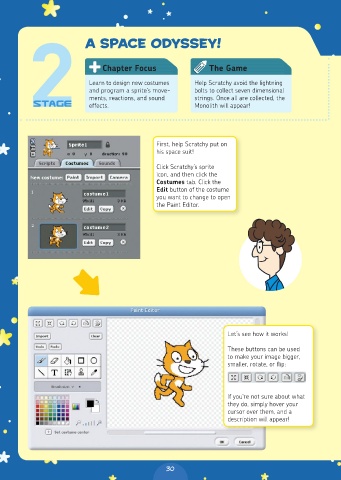
                                              First, help Scratchy put on
                                              his space suit!

                                              Click Scratchy’s sprite
                                              icon, and then click the
                                              Costumes tab. Click the
                                              Edit button of the costume
                                              you want to change to open
                                              the Paint Editor.


                                                                  Let’s see how it works!

                                                                  These buttons can be used
                                                                  to make your image bigger,
                                                                  smaller, rotate, or flip:


                                                                  If you’re not sure about what
                                                                  they do, simply hover your
                                                                  cursor over them, and a
                                                                  description will appear!


                                                30

