


Page 33 - Super Scratch Programming Adventure -1st Edition
P. 33
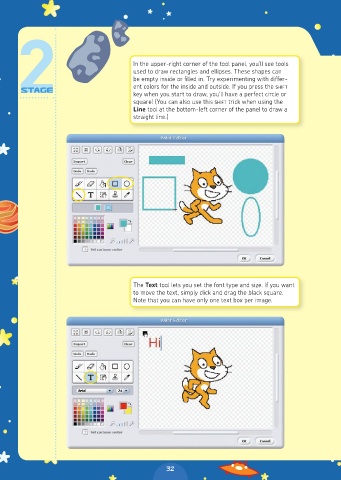
In the upper-right corner of the tool panel, you’ll see tools
                                       used to draw rectangles and ellipses. These shapes can
                                       be empty inside or filled in. Try experimenting with differ-
                                       ent colors for the inside and outside. If you press the SHIFT
                                       key when you start to draw, you’ll have a perfect circle or
                                       square! (You can also use this SHIFT trick when using the
                                       Line tool at the bottom-left corner of the panel to draw a
                                       straight line.)


                                       The Text tool lets you set the font type and size. If you want
                                       to move the text, simply click and drag the black square.
                                       Note that you can have only one text box per image.


                                                32

