


Page 34 - Super Scratch Programming Adventure -1st Edition
P. 34
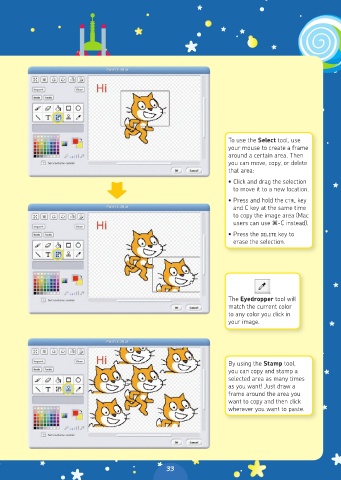
To use the Select tool, use
                                                                  your mouse to create a frame
                                                                  around a certain area. Then
                                                                  you can move, copy, or delete
                                                                  that area:
                                                                  • Click and drag the selection
                                                                    to move it to a new location.
                                                                  • Press and hold the CTRL key
                                                                    and C key at the same time
                                                                    to copy the image area (Mac
                                                                    users can use z-C instead).
                                                                  • Press the DELETE key to
                                                                    erase the selection.


                                                                  The Eyedropper tool will
                                                                  match the current color
                                                                  to any color you click in
                                                                  your image.


                                                                  By using the Stamp tool,
                                                                  you can copy and stamp a
                                                                  selected area as many times
                                                                  as you want! Just draw a
                                                                  frame around the area you
                                                                  want to copy and then click
                                                                  wherever you want to paste.


                                                33

