


Page 35 - Super Scratch Programming Adventure -1st Edition
P. 35
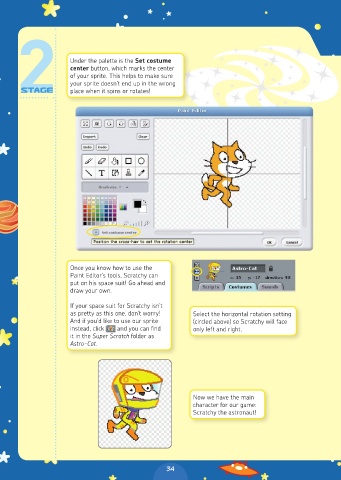
Under the palette is the Set costume
                     center button, which marks the center
                     of your sprite. This helps to make sure
                     your sprite doesn’t end up in the wrong
                     place when it spins or rotates!


                     Once you know how to use the
                     Paint Editor’s tools, Scratchy can
                     put on his space suit! Go ahead and
                     draw your own.

                     If your space suit for Scratchy isn’t
                     as pretty as this one, don’t worry!   Select the horizontal rotation setting
                     And if you’d like to use our sprite   (circled above) so Scratchy will face
                     instead, click    and you can find   only left and right.
                     it in the Super Scratch folder as
                     Astro-Cat.


                                                        Now we have the main
                                                        character for our game:
                                                        Scratchy the astronaut!


                                                34

