


Page 154 - Scratch Programming Playground
P. 154
1. Create the Head Sprite


                         First, let’s make the back-
                         ground more interesting. Click
                         the Stage in the Sprite List,
                         and then click the Backdrops
                         tab above the Blocks area.
                         Click the Upload backdrop
                         from file button under new
                         backdrop, and select sand.jpg
                         from the resources ZIp file.
                             next, draw the snake’s
                         head. Click the Paint new

                         sprite button next to new
                         sprite. In the paint editor,
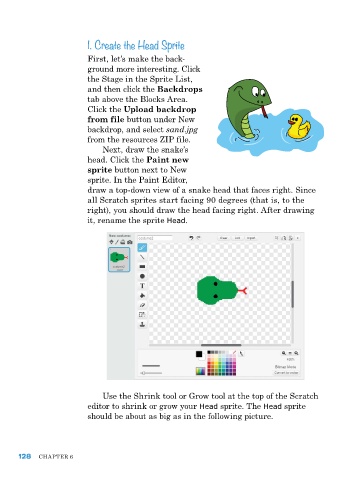
                         draw a top-down view of a snake head that faces right. Since
                         all Scratch sprites start facing 90 degrees (that is, to the
                         right), you should draw the head facing right. after drawing
                         it, rename the sprite Head.


                             Use the Shrink tool or Grow tool at the top of the Scratch
                         editor to shrink or grow your Head sprite. The Head sprite
                         should be about as big as in the following picture.


      128   ChapTer 6

