


Page 158 - Scratch Programming Playground
P. 158
C     Make a Body that appears
                                 Behind the Snake Head


                         next, we’ll add the body of the snake, which we want to grow
                         with each apple it eats.
                         3. Create the Body Sprite


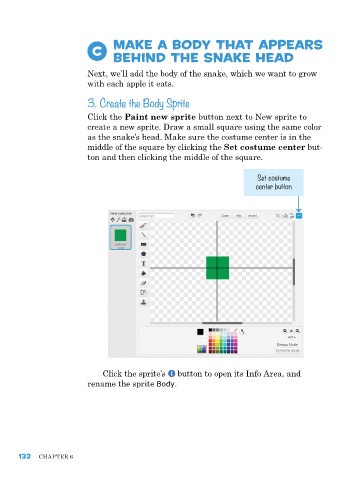
                         Click the Paint new sprite button next to new sprite to
                         create a new sprite. Draw a small square using the same color
                         as the snake’s head. Make sure the costume center is in the
                         middle of the square by clicking the Set costume center but-
                         ton and then clicking the middle of the square.

                                                                         Set costume
                                                                        center button


                             Click the sprite’s   button to open its Info area, and
                         rename the sprite Body.


      132   ChapTer 6

