


Page 217 - Programming With Python 3
P. 217
An Introduction to STEM Programming with Python — 2019-09-03a                              Page 204
            Chapter 20 — Using Tkinter to Make Screens


             Free
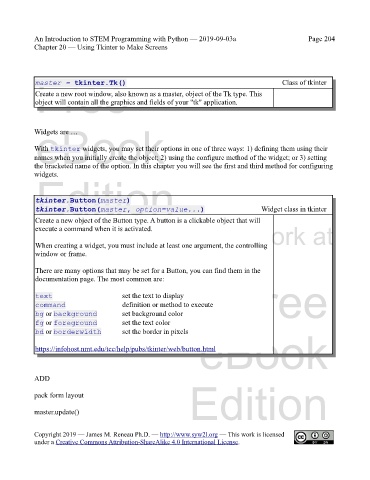
             master = tkinter.Tk()                                                            Class of tkinter
             Create a new root window, also known as a master, object of the Tk type. This
             object will contain all the graphics and fields of your "tk" application.


             eBook
            Widgets are …


            With tkinter widgets, you may set their options in one of three ways: 1) defining them using their
            names when you initially create the object; 2) using the configure method of the widget; or 3) setting
            the bracketed name of the option. In this chapter you will see the first and third method for configuring
            widgets.
             Edition


             tkinter.Button(master)
             tkinter.Button(master, option=value...)                                   Widget class in tkinter

             Create a new object of the Button type. A button is a clickable object that will
            Please support this work at
             execute a command when it is activated.

             When creating a widget, you must include at least one argument, the controlling
             window or frame.     http://syw2l.org

             There are many options that may be set for a Button, you can find them in the
             documentation page. The most common are:

             text                        set the text to display               Free
             command                     definition or method to execute
             bg or background            set background color
             fg or foreground            set the text color
             bd or borderwidth           set the border in pixels
                                                                   eBook
             https://infohost.nmt.edu/tcc/help/pubs/tkinter/web/button.html


            ADD
                                                                Edition

            pack form layout

            master.update()


            Copyright 2019 — James M. Reneau Ph.D. — http://www.syw2l.org — This work is licensed
            under a Creative Commons Attribution-ShareAlike 4.0 International License.

