


Page 144 - AutoCAD Dalam KEJURUTERAAN ELEKTRIK Dan ELEKTRONIK
P. 144
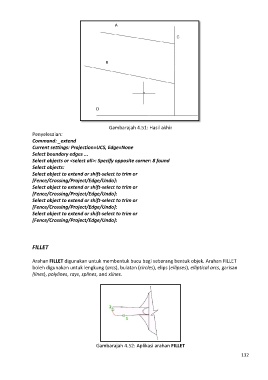
Gambarajah 4.51: Hasil akhir
               Penyelesaian:
               Command: _extend
               Current settings: Projection=UCS, Edge=None
               Select boundary edges ...
               Select objects or <select all>: Specify opposite corner: 8 found
               Select objects:
               Select object to extend or shift-select to trim or
               [Fence/Crossing/Project/Edge/Undo]:
               Select object to extend or shift-select to trim or
               [Fence/Crossing/Project/Edge/Undo]:
               Select object to extend or shift-select to trim or
               [Fence/Crossing/Project/Edge/Undo]:
               Select object to extend or shift-select to trim or
               [Fence/Crossing/Project/Edge/Undo]:


               FILLET


               Arahan FILLET digunakan untuk membentuk bucu bagi sebarang bentuk objek. Arahan FILLET
               boleh digunakan untuk lengkung (arcs), bulatan (circles), elips (ellipses), elliptical arcs, garisan
               (lines), polylines, rays, splines, and xlines.


                                            Gambarajah 4.52: Aplikasi arahan FILLET
                                                                                                            132

