


Page 147 - AutoCAD Dalam KEJURUTERAAN ELEKTRIK Dan ELEKTRONIK
P. 147
Select first object or [Undo/Polyline/Radius/Trim/Multiple]:
               Select second object or shift-select to apply corner or [Radius]:
               Command:
               FILLET
               Current settings: Mode = TRIM, Radius = 5.0000
               Select first object or [Undo/Polyline/Radius/Trim/Multiple]:
               Select second object or shift-select to apply corner or [Radius]:
               Command:
               FILLET
               Current settings: Mode = TRIM, Radius = 5.0000
               Select first object or [Undo/Polyline/Radius/Trim/Multiple]:
               Select first object or [Undo/Polyline/Radius/Trim/Multiple]:
               Select second object or shift-select to apply corner or [Radius]:
               Select second object or shift-select to apply corner or [Radius]:


               CHAMFER

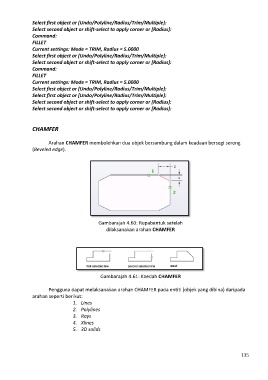
                       Arahan CHAMFER membolehkan dua objek bersambung dalam keadaan bersegi serong
               (Beveled edge).


                                             Gambarajah 4.60: Rupabentuk setelah
                                                dilaksanakan arahan CHAMFER


                                              Gambarajah 4.61: Kaedah CHAMFER

                       Pengguna dapat melaksanakan arahan CHAMFER pada entiti (objek yang dibina) daripada
               arahan seperti berikut:
                                 1.  Lines
                                 2.  Polylines
                                 3.  Rays
                                 4.  Xlines
                                 5.  3D solids


                                                                                                            135

