


Page 225 - Basic Course
P. 225
KNX BASIC COURSE


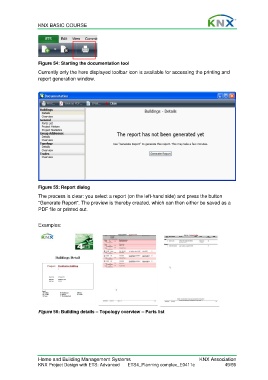
                  Figure 54: Starting the documentation tool
                  Currently only the here displayed toolbar icon is available for accessing the printing and
                  report generation window.


                  Figure 55: Report dialog

                  The process is clear: you select a report (on the left-hand side) and press the button
                  “Generate Report”. The preview is thereby created, which can then either be saved as a
                  PDF file or printed out.


                  Examples:


                  Figure 56: Building details – Topology overview – Parts list


                  Home and Building Management Systems                                    KNX Association
                  KNX Project Design with ETS: Advanced   ETS4_Planning complex_E0411c               49/59

