


Page 171 - Advanced Course
P. 171
KNX ADVANCED COURSE


                  4.6  Parameterisation Example


                  4.6.1  Functions

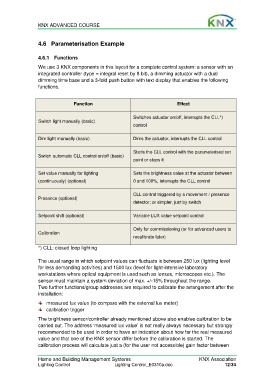
                  We use 3 KNX components in this layout for a complete control system: a sensor with an
                  integrated controller (type = integral reset by 8 bit), a dimming actuator with a dual
                  dimming time base and a 3-fold push button with text display that enables the following
                  functions.


                                  Function                                      Effect


                                                            Switches actuator on/off, interrupts the CLL*)
                  Switch light manually (basic)
                                                            control


                  Dim light manually (basic)                Dims the actuator, interrupts the CLL control

                                                            Starts the CLL control with the parameterised set
                  Switch automatic CLL control on/off (basic)
                                                            point or stops it


                  Set value manually for lighting           Sets the brightness value at the actuator between
                  (continuously) (optional)                 0 and 100%, interrupts the CLL control


                                                            CLL control triggered by a movement / presence
                  Presence (optional)
                                                            detector; or simpler, just by switch


                  Setpoint shift (optional)                 Variable LUX value setpoint control

                                                            Only for commissioning (or for advanced users to
                  Calibration
                                                            recalibrate later)

                  *) CLL: closed loop lighting

                  The usual range in which setpoint values can fluctuate is between 250 lux (lighting level
                  for less demanding activities) and 1500 lux (level for light-intensive laboratory
                  workstations where optical equipment is used such as lenses, microscopes etc.). The
                  sensor must maintain a system deviation of max. +/-15% throughout the range.
                  Two further functions/group addresses are required to calibrate the arrangement after the
                  installation:

                      measured lux value (to compare with the external lux meter)
                      calibration trigger
                  The brightness sensor/controller already mentioned above also enables calibration to be
                  carried out. The address ‘measured lux value’ is not really always necessary but strongly
                  recommended to be used in order to have an indication about how far the real measured
                  value and that one of the KNX sensor differ before the calibration is started. The
                  calibration process will calculate just a (for the user not accessible) gain factor between

                  Home and Building Management Systems                                    KNX Association
                  Lighting Control                  Lighting Control_E0310a.doc                      12/34

