


Page 283 - Advanced Course
P. 283
KNX ADVANCED COURSE

                  The audio sources, i.e. CD player, tuner, music server or microphone, are connected to
                  the amplifier that amplifies the analog input signals in such a way that they can be
                  transferred across longer distances without any loss or interference. The outputs of the
                  amplifier are connected to the inputs of the audio actuator with integrated KNX BCU. The
                  speakers are connected to the outputs of the audio actuator. It is possible that an audio
                  amplifier is needed on the output of the actuator to achieve better quality of the signal on
                  the speakers.
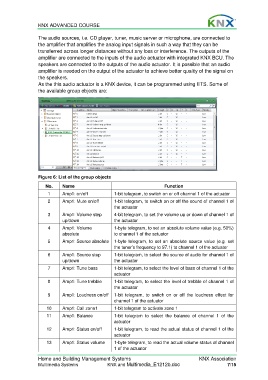
                  As the this audio actuator is a KNX device, it can be programmed using ETS. Some of
                  the available group objects are:


                  Figure 6: List of the group objects

                     No.     Name                                         Function
                      1      Amp1: on/off           1-bit telegram, to switch on or off channel 1 of the actuator
                      2      Amp1: Mute on/off      1-bit telegram, to switch on or off the sound of channel 1 of
                                                    the actuator
                      3      Amp1: Volume step      4-bit telegram, to set the volume up or down of channel 1 of
                             up/down                the actuator
                      4      Amp1: Volume           1-byte telegram, to set an absolute volume value (e.g. 50%)
                             absolute               to channel 1 of the actuator
                      5      Amp1: Source absolute  1-byte telegram, to set an absolute  source  value (e.g.  set
                                                    the tuner’s frequency to 97.1) to channel 1 of the actuator
                      6      Amp1: Source step      1-bit telegram, to select the source of audio for channel 1 of
                             up/down                the actuator
                      7      Amp1: Tune bass        1-bit telegram, to select the level of bass of channel 1 of the
                                                    actuator
                      8      Amp1: Tune trebble     1-bit telegram, to select the level of trebble of channel 1 of
                                                    the actuator
                      9      Amp1: Loudness on/off  1-bit telegram, to switch on or off  the  loudness  effect  for
                                                    channel 1 of the actuator
                      10     Amp1: Call zone1       1-bit telegram to activate zone 1
                      11     Amp1: Balance          1-bit telegram to select the balance of  channel  1  of  the
                                                    actuator
                      12     Amp1: Status on/off    1-bit telegram, to read the actual status of channel 1 of the
                                                    actuator
                      13     Amp1: Status volume    1-byte telegram, to read the actual volume status of channel
                                                    1 of the actuator
                  Home and Building Management Systems                                   KNX Association
                  Multimedia Systems             KNX and Multimedia_E1212b.doc                        7/15

