


Page 75 - Client Coordinator
P. 75
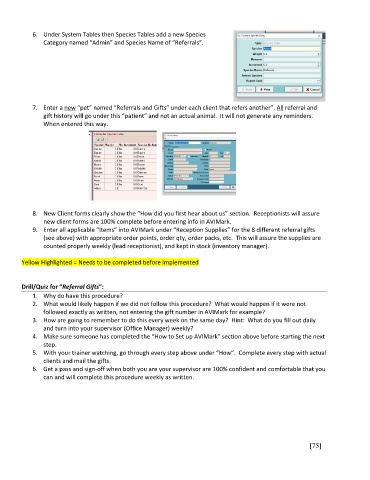
6.  Under System Tables then Species Tables add a new Species
               Category named “Admin” and Species Name of “Referrals”.


            7.  Enter a new “pet” named “Referrals and Gifts” under each client that refers another”. All referral and
               gift history will go under this “patient” and not an actual animal.  It will not generate any reminders.
               When entered this way.


            8.  New Client forms clearly show the “How did you first hear about us” section.  Receptionists will assure
               new client forms are 100% complete before entering info in AVIMark.
            9.  Enter all applicable “Items” into AVIMark under “Reception Supplies” for the 8 different referral gifts
               (see above) with appropriate order points, order qty, order packs, etc.  This will assure the supplies are
               counted properly weekly (lead receptionist), and kept in stock (inventory manager).

        Yellow Highlighted = Needs to be completed before implemented


        Drill/Quiz for “Referral Gifts”:
            1.  Why do have this procedure?
            2.  What would likely happen if we did not follow this procedure?  What would happen if it were not
               followed exactly as written, not entering the gift number in AVIMark for example?
            3.  How are going to remember to do this every week on the same day?  Hint:  What do you fill out daily
               and turn into your supervisor (Office Manager) weekly?
            4.  Make sure someone has completed the “How to Set up AVIMark” section above before starting the next
               step.
            5.  With your trainer watching, go through every step above under “How”.  Complete every step with actual
               clients and mail the gifts.
            6.  Get a pass and sign-off when both you are your supervisor are 100% confident and comfortable that you
               can and will complete this procedure weekly as written.


                                                                                                       [75]

