Page 47 - Receptionist
P. 47

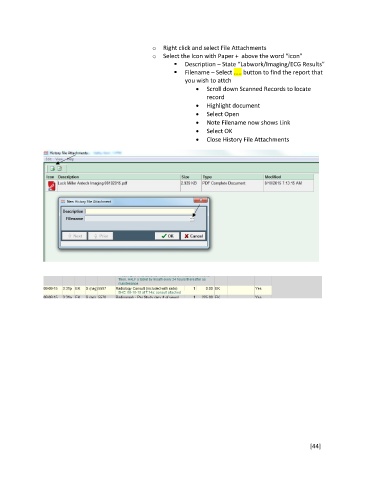
o  Right click and select File Attachments
                                                   o  Select the Icon with Paper +  above the word “icon”
                                                             Description – State “Labwork/Imaging/ECG Results”
                                                             Filename – Select ….. button to find the report that
                                                              you wish to attch
                                                                    Scroll down Scanned Records to locate
                                                                     record
                                                                    Highlight document
                                                                    Select Open
                                                                    Note Filename now shows Link
                                                                    Select OK
                                                                    Close History File Attachments


                                                                                                        [44]
   42   43   44   45   46   47   48   49   50   51   52