


Page 114 - Computing E-Book Grade 6
P. 114
The City School  2021-2022


             Inserting Layers


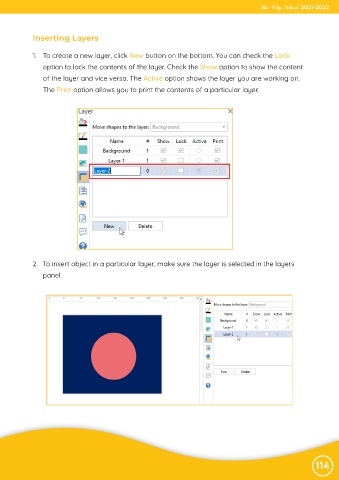
             1.  To create a new layer, click New button on the bottom. You can check the Lock

                option to lock the contents of the layer. Check the Show option to show the content
                of the layer and vice versa. The Active option shows the layer you are working on.
                The Print option allows you to print the contents of a particular layer.


            2.  To insert object in a particular layer, make sure the layer is selected in the layers
                panel.


                                                                                                                114

