


Page 144 - Computing E-Book Grade 6
P. 144
The City School  2021-2022


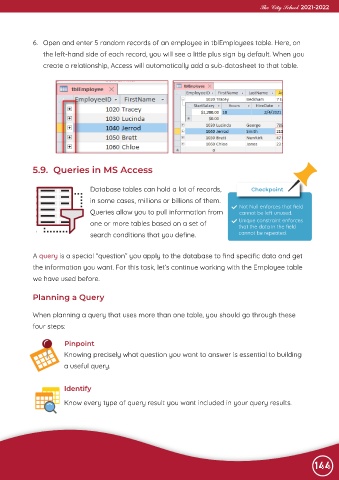
             6.  Open and enter 5 random records of an employee in tblEmployees table. Here, on

                the left-hand side of each record, you will see a little plus sign by default. When you
                create a relationship, Access will automatically add a sub-datasheet to that table.


             5.9.  Queries in MS Access


                                 Database tables can hold a lot of records,              Checkpoint

                                 in some cases, millions or billions of them.
                                 Queries allow you to pull information from          Not Null enforces that field
                                                                                     cannot be left unused.
                                 one or more tables based on a set of                Unique constraint enforces
                                                                                     that the data in the field
                                 search conditions that you define.                  cannot be repeated.


             A query is a special “question” you apply to the database to find specific data and get
             the information you want. For this task, let’s continue working with the Employee table

             we have used before.


             Planning a Query


            When planning a query that uses more than one table, you should go through these
            four steps:


                        Pinpoint
                        Knowing precisely what question you want to answer is essential to building

                        a useful query.


                        Identify

                        Know every type of query result you want included in your query results.


                                                                                                                144

