


Page 31 - Computing E-Book Grade 6
P. 31
The City School  2021-2022


             Copying or Moving Worksheet in Excel


             If you need to duplicate the content of one worksheet to another, Excel allows you to
             copy an existing worksheet.
                                                                                                                    Analysing Data

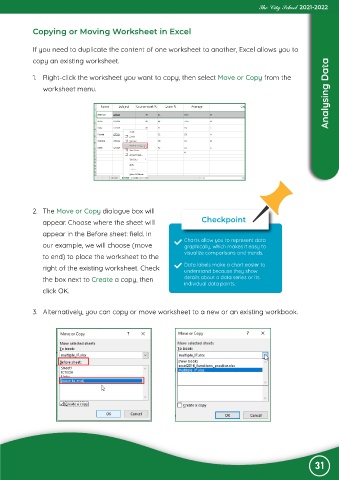
             1.  Right-click the worksheet you want to copy, then select Move or Copy from the
                worksheet menu.


            2.  The Move or Copy dialogue box will

                appear. Choose where the sheet will                     Checkpoint
                appear in the Before sheet: field. In
                                                                  Charts allow you to represent data
                our example, we will choose (move                 graphically, which makes it easy to
                to end) to place the worksheet to the             visualize comparisons and trends.

                right of the existing worksheet. Check            Data labels make a chart easier to
                                                                  understand because they show
                the box next to Create a copy, then               details about a data series or its
                                                                  individual data points.
                click OK.


             3.  Alternatively, you can copy or move worksheet to a new or an existing workbook.


                                                                                                                31

