


Page 28 - Computing E-Book Grade 6
P. 28
The City School  2021-2022


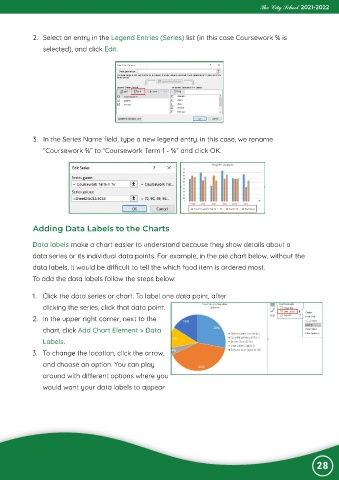
             2.  Select an entry in the Legend Entries (Series) list (in this case Coursework % is

                selected), and click Edit.


             3.  In the Series Name field, type a new legend entry. in this case, we rename

                “Coursework %” to “Coursework Term 1 - %” and click OK.


             Adding Data Labels to the Charts

            Data labels make a chart easier to understand because they show details about a

            data series or its individual data points. For example, in the pie chart below, without the
            data labels, it would be difficult to tell the which food item is ordered most.

            To add the data labels follow the steps below:


            1.  Click the data series or chart. To label one data point, after
                clicking the series, click that data point.

            2.  In the upper right corner, next to the
                chart, click Add Chart Element > Data

                Labels.
            3.  To change the location, click the arrow,

                and choose an option. You can play
                around with different options where you

                would want your data labels to appear


                                                                                                                28

