


Page 52 - Computing E-Book Grade 3
P. 52
The City School  2021-2022
                                                                                                             21-
                                                                                                           0
                                                                                                               2
                                                                                                          2
                                                                                                                  22
                                                                                                                 0
                                                                                            The City School

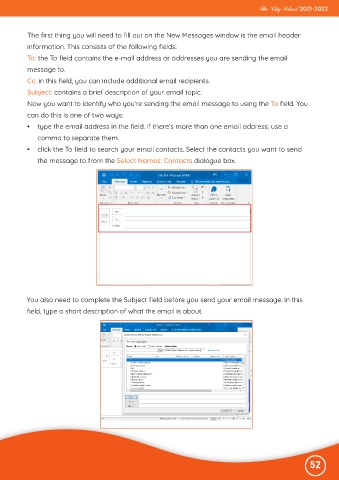
           The first thing you will need to fill out on the New Messages window is the email header
           information. This consists of the following fields:
           To: the To field contains the e-mail address or addresses you are sending the email
           message to.
           Cc: in this field, you can include additional email recipients.

           Subject: contains a brief description of your email topic.

           Now you want to identify who you’re sending the email message to using the To field. You
           can do this is one of two ways:
           •  type the email address in the field. If there’s more than one email address, use a

              comma to separate them.

           •  click the To field to search your email contacts. Select the contacts you want to send
              the message to from the Select Names: Contacts dialogue box.


          You also need to complete the Subject field before you send your email message. In this

          field, type a short description of what the email is about.


                                                                                                              52

