


Page 55 - Computing E-Book Grade 3
P. 55
The City School  2021-2022


           Downloading an Email Attachment


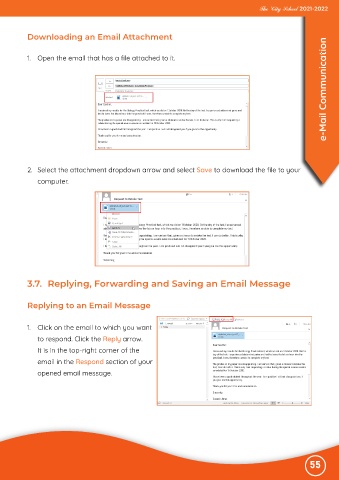
           1.  Open the email that has a file attached to it.                                                       e-Mail Communication


           2.  Select the attachment dropdown arrow and select Save to download the file to your

              computer.


           3.7.  Replying, Forwarding and Saving an Email Message


           Replying to an Email Message


           1.  Click on the email to which you want
              to respond. Click the Reply arrow.

              It is in the top-right corner of the
              email in the Respond section of your

              opened email message.


                                                                                                              55

